Wallet Guide
1CEO Withdrawal & Wallet Basics: What to Check Before Cashing Out
A plain-language guide to the 1ceo wallet and withdrawal screen — verification checks, minimum limits, bonus rules, and avoiding common payout delays.
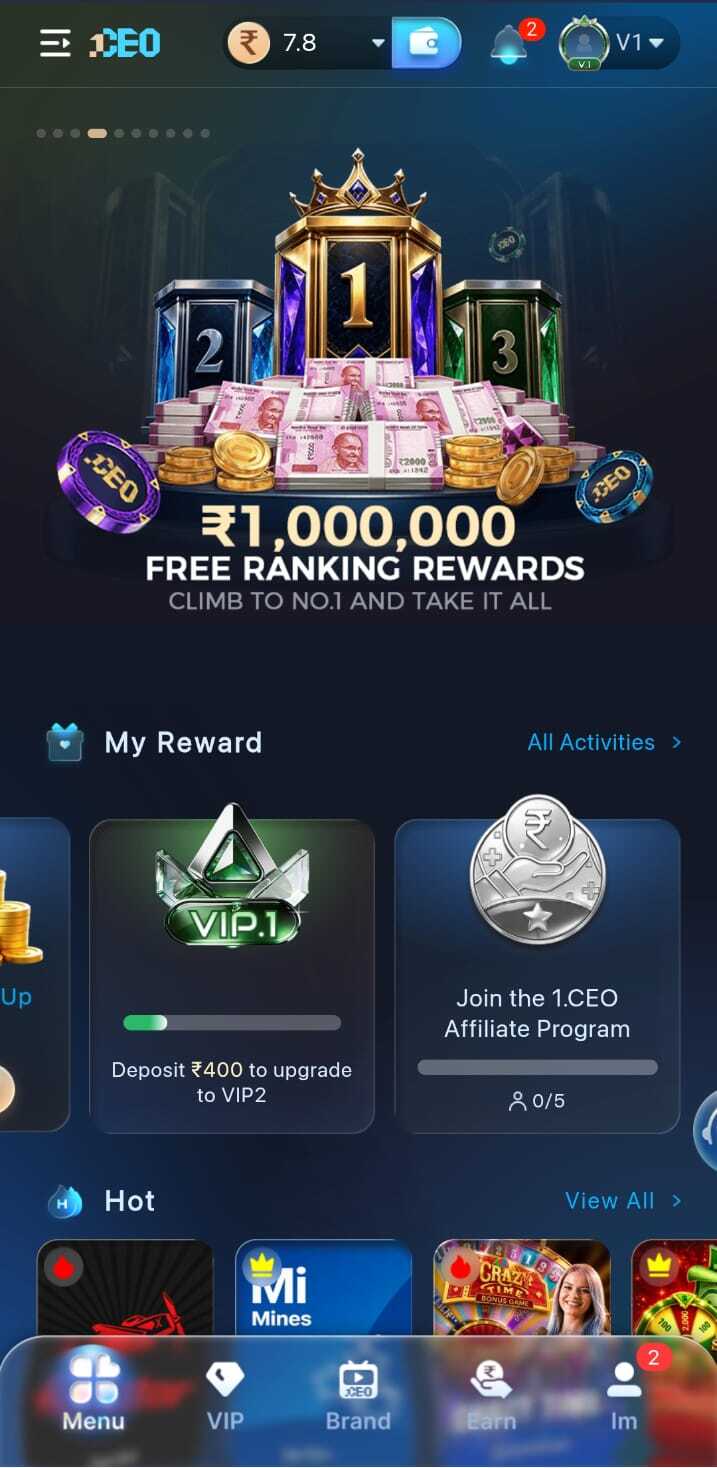
This guide targets 1ceo withdrawal and related searches such as 1 ceo, 1ceo withdrawal, 1 ceo withdrawal, 1ceo wallet, 1ceo payment. It is written for users who want clear 1CEO information before downloading.
Understanding the wallet screen inside 1CEO
One of the first things users check after installing 1ceo is how the wallet works. The balance indicator sits in the top bar of the lobby and leads to your deposit, reward, and withdrawal options. Before putting any money in, it is worth opening that screen once just to see how the fields and rules are laid out.
Most delays and frustrations around a "1ceo withdrawal" or "1 ceo withdrawal" do not come from hidden tricks — they come from skipping small requirements like minimum limits, account verification, or uncompleted bonus conditions. Reading the wallet screen early prevents surprises later.
Check minimum and maximum limits first
Every platform sets a minimum amount for withdrawals, and sometimes a daily cap or processing window as well. These numbers are shown directly inside the wallet or withdrawal tab of your 1ceo account, and they can change over time depending on the payment method.
Do not rely on numbers quoted in random social posts or old screenshots. Always check the live minimum and fee note inside your own app before submitting a request.
Complete account and payment details accurately
A single mistyped digit in a bank account number, IFSC code, or UPI ID is enough to make a withdrawal fail or sit in pending review. Take an extra ten seconds to verify every character when binding your payment details inside 1 ceo.
Whenever possible, use a payment account that belongs to you personally and matches the name or phone number registered on your 1ceo account. Mismatched details are a common trigger for manual security checks.
Understand how bonus balances affect withdrawals
If you claimed a starter perk or daily bonus, check whether your wallet separates cash balance from bonus balance. On most gaming platforms, bonus credits come with specific play or turnover rules before they can be withdrawn, whereas regular cash follows standard withdrawal rules.
If a withdrawal button looks disabled or shows less than your total displayed balance, bonus conditions are usually the reason. Read the active bonus terms inside the app rather than guessing.
Why verification and OTP checks exist
When you bind a payment method or request a payout, 1ceo may ask for a quick verification code or security PIN. That extra step exists to stop someone else from draining your wallet if they ever get hold of your unlocked phone.
Keep those verification codes private. As covered in our 1ceo account security guide, no genuine support agent will ever message you asking for your OTP or PIN to "release" a payment.
What to do if a withdrawal is pending
Processing times depend on the payment rail and bank traffic at the time of your request. If a withdrawal shows as pending, avoid submitting multiple duplicate requests back to back, as that can slow things down further.
Take a screenshot of the transaction reference, date, and amount. If it stays pending longer than the timeframe stated inside the app, contact official support through the help option inside 1ceo with that reference ready.
Keep your wallet habits disciplined
The safest rule for using any gaming wallet is simple: only deposit money you can comfortably afford for entertainment, and never leave large balances sitting in an app longer than needed. Decide your session limit before you start, and treat withdrawals as a normal part of wrapping up a controlled session.
1CEO Withdrawal & Wallet Basics FAQ
Where do I find the withdrawal option in 1ceo?
Tap your wallet or balance icon in the top bar of the 1ceo lobby to view deposit, transaction history, and withdrawal options.
Why is my 1 ceo withdrawal button not letting me cash out my full balance?
Part of your balance may be bonus credit with separate terms, or the amount may be below the minimum withdrawal limit shown in the wallet.
What causes most 1ceo payout delays?
Typos in UPI/bank details, unverified account info, unmet bonus rules, or temporary bank/network congestion are the most common causes.
Should I share my OTP with someone promising to speed up a 1ceo withdrawal?
No. Never share OTPs or PINs with anyone. Official support never needs your verification code to process a payout.